Does IPTV have catch-up? Often, yes — but not on every channel, and not in every app. Can you DVR IPTV? Also yes, with the right player and somewhere to store the files. The two features solve the same problem (“I missed it”) in completely different ways, and knowing which is which saves a lot of confused searching through menus.
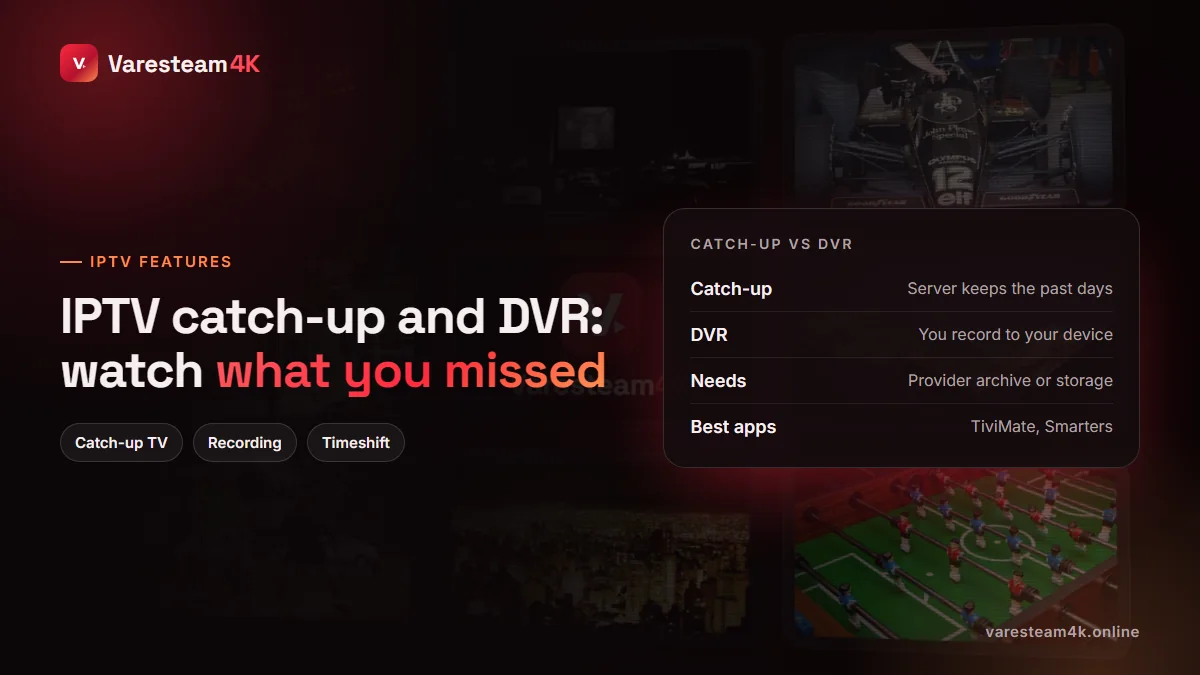
Catch-up vs DVR vs timeshift
| Catch-up (archive) | DVR (recording) | Pause / timeshift | |
|---|---|---|---|
| Where it is stored | Provider’s server | Your device or USB drive | Your device’s memory |
| Needs planning? | No — go back after the fact | Yes — record before or during | No |
| How far back | Usually 1–7 days, per channel | As long as you keep the file | Minutes |
| Uses your storage | No | Yes, a lot | A little |
| Depends on | Provider enabling archive | Player app supporting recording | Player app |
How IPTV catch-up works
For catch-up, the provider records selected channels continuously on its own servers and keeps a rolling archive — one day, three days, a week. Your app reads the programme guide, and when you select a show that has already aired, it requests that slice of the archive instead of the live feed.
Three consequences follow. First, catch-up depends on the EPG: without guide data the app cannot tell which part of the archive holds which programme, so a broken guide means broken catch-up (our EPG guide fixes that). Second, it is set per channel: archives cost a provider storage, so they are usually switched on for the popular channels rather than all of them. Third, it needs an Xtream or portal login; a plain M3U playlist often cannot carry the archive information.
In most apps, channels with catch-up are marked with a small clock or rewind icon in the channel list or guide.
How to use catch-up in TiviMate and IPTV Smarters
TiviMate
Open the TV guide and scroll left into the past on a channel with the archive icon. Programmes that can be replayed are highlighted; select one and choose Play. You can also press left during live playback to jump back through the current programme.
IPTV Smarters Pro
From the home screen choose Catch Up, pick a category and channel, then a date and a programme. Only channels with an archive are listed there, which makes it the quickest way to see what your line supports.
OTT Navigator and others
Similar idea: an archive icon on the channel, and past programmes selectable from the guide. If an app has no catch-up section at all, try it in TiviMate or Smarters before concluding your line lacks it.
How to record IPTV (DVR)
Recording means your app saves the live stream to storage as it plays. You need a player that supports it and space to put the files.
- TiviMate: recording is a Premium feature. Long-press a programme in the guide and choose Record, or schedule series recordings. Set the location under Settings → Recording.
- IPTV Smarters: the Android/Fire TV app offers recording on live channels in many versions; recordings appear in a Recordings section.
- GSE Smart IPTV (iOS): can record streams to the device.
- Smart TV apps: most cannot record at all.
Each recording uses a connection while it runs. If your plan includes one connection, recording one channel while watching another will not work — record what you are watching, or ask about an extra connection.
Recording on a Firestick
Fire TV Sticks have 8–16 GB of storage, much of it already used by the system and apps, so an hour or two of HD fills them. The Fire TV Stick 4K Max and Fire TV Cube can use USB storage through an OTG adapter; set that drive as the recording location in your player. Android TV boxes with a full-size USB port make this much simpler.
How much storage does an IPTV recording use?
| Quality | Typical bitrate | Per hour | A 90-minute match |
|---|---|---|---|
| SD | ~2 Mbps | ~0.9 GB | ~1.4 GB |
| HD 720p | ~4 Mbps | ~1.8 GB | ~2.7 GB |
| Full HD 1080p | ~6–8 Mbps | ~2.7–3.6 GB | ~4–5.4 GB |
| 4K | ~15–25 Mbps | ~7–11 GB | ~10–17 GB |
For regular recording, a 64 GB USB stick holds roughly 15–20 hours of Full HD; a cheap external SSD holds hundreds.
Common catch-up and recording problems
- No catch-up option anywhere: you are probably on an M3U playlist. Re-add the line with the Xtream login.
- Catch-up plays the wrong programme: the guide is shifted. Fix the EPG time offset and the archive lines up again.
- “Archive not available”: that channel has no archive, or the programme is older than the archive window.
- Recording stops after a few minutes: storage full, or the device went to sleep. Disable sleep during recordings.
- Recording fails to start: connection limit reached by another device on the same line.
Frequently asked questions
Catch-up is a server-side archive of recent programmes. You go back in the TV guide and replay a show that already aired, usually within the last one to seven days.
The subscription itself does not record; your player app does. TiviMate Premium, IPTV Smarters on Android and GSE Smart IPTV can all record IPTV to your device or a USB drive.
Providers switch the archive on per channel, because storing days of every channel is expensive. Popular sport and entertainment channels are the most likely to have it.
Yes, with a player that supports recording, but internal storage is small. Use a USB drive with an OTG adapter on models that support it.
Yes. A recording is a live stream being saved, so it counts towards your simultaneous connection limit.
Archive availability varies by channel. Open the Catch Up section in IPTV Smarters during your free trial to see the exact list on your line, or ask support on WhatsApp.
The bottom line
Catch-up is the provider’s archive and needs a working guide and an Xtream login. DVR is your app recording to your storage and needs a capable player and free space. Use catch-up for “I missed it last night” and recording for anything you want to keep.
Related reading: What is EPG? · IPTV Smarters alternatives · Best device for IPTV · Watch live sports without cable