What is an M3U playlist?
An M3U playlist is a plain-text file that lists media streams, one after another, each with a name and a web address. The format dates from the 1990s, when it was used for MP3 playlists — hence the name — and it survived because almost every media player understands it. For IPTV, the M3U playlist is the list of your channels (and sometimes your films), and the “M3U link” your provider sends is simply the web address where that file can be downloaded.
What is inside an M3U file?
Open one in a text editor and you will see something like this (shortened):
| Part | Meaning |
|---|---|
#EXTM3U | First line: “this is an extended M3U playlist” |
#EXTINF:-1 | Start of a channel entry; −1 means a live stream with no fixed length |
tvg-id | The ID used to match the channel to the TV guide — see EPG explained |
tvg-logo | Address of the channel logo |
group-title | The category the channel appears under |
| Text after the comma | The channel name you see |
| Next line | The actual stream address |
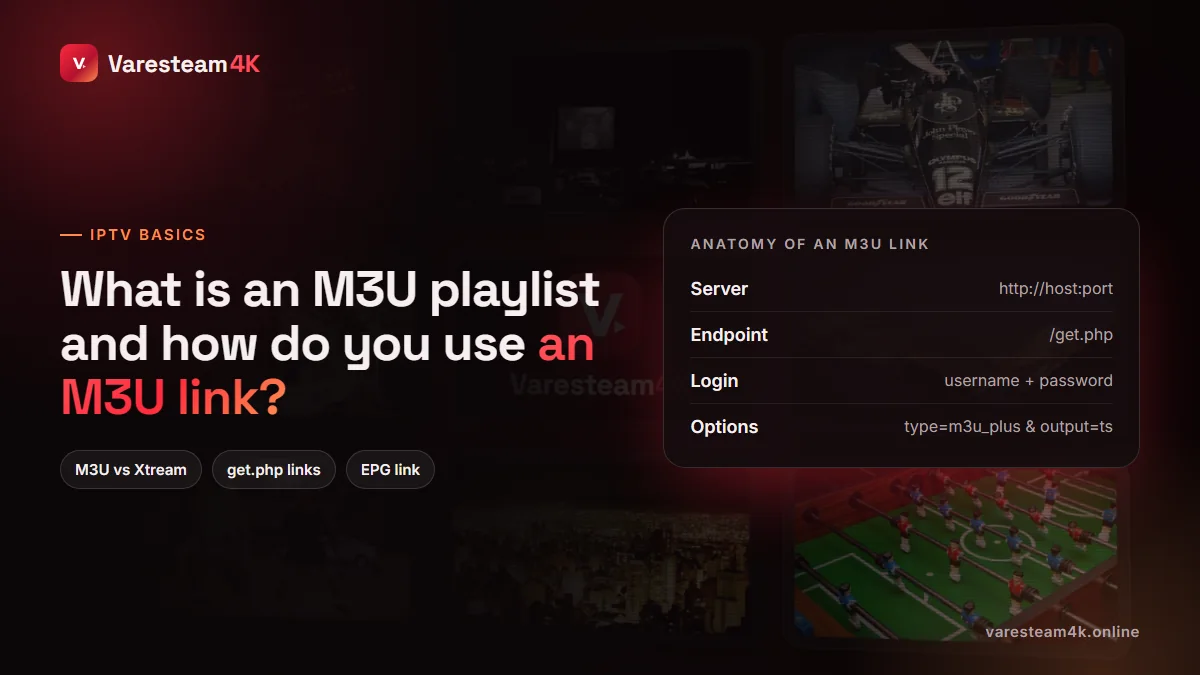
Anatomy of a get.php M3U link
Most IPTV providers run Xtream-compatible panels, and their M3U links follow one pattern. If you have ever wondered what a get.php?username= address is, this is it:
http://server.example:8080/get.php?username=USER&password=PASS&type=m3u_plus&output=ts
| Piece | What it does |
|---|---|
http://server.example:8080 | The provider’s server and port — the same URL used for an Xtream login |
/get.php | The panel endpoint that generates your playlist on request |
username=…&password=… | Your login, embedded in the address |
type=m3u_plus | Extended format with logos, groups and guide IDs (plain m3u drops them) |
output=ts or output=m3u8 | Stream container: MPEG-TS or HLS. Try the other if a player struggles |
Two things follow. Your M3U link is your password: anyone who has it can use your line, so treat it like one. And the M3U link and your Xtream login are the same account in two formats; you never need both at once. Our username and password guide goes deeper into the login side.
M3U vs Xtream Codes: which should you use?
| M3U playlist | Xtream Codes login | |
|---|---|---|
| What you enter | One long URL | Server URL + username + password |
| Works in | Almost every player, including VLC and Kodi | Most IPTV players |
| Movies & series categories | Often a flat list, or missing | Proper VOD and series sections |
| TV guide | Needs a separate XMLTV link | Loads automatically |
| Catch-up | Often unsupported | Supported where the provider offers it |
| Expiry date shown in app | No | Yes |
| Best for | Quick tests, basic players, media servers | Everyday viewing |
Rule of thumb: use Xtream Codes wherever your app supports it, and keep the M3U link for players that only take a URL.
How to add an M3U link to IPTV Smarters, TiviMate and VLC
IPTV Smarters Pro
On the login screen choose Load your playlist or file/URL, select M3U URL, give it a name, paste the link and select Add user.
TiviMate
Add playlist → Enter URL, paste the link, then confirm the playlist name and choose whether to include VOD. Add the XMLTV link afterwards in Settings → EPG if the guide is empty.
VLC (Windows, Mac, Android)
Media → Open Network Stream (Ctrl+N on Windows), paste the link and select Play. Open the playlist view (Ctrl+L) to browse channels. VLC is the quickest way to check whether a link works at all, though it is clumsy for daily viewing.
Smart TV apps
MAC-activated apps such as IBO Player take the M3U link on their website rather than on the TV. Details in our Samsung and LG guide.
Why M3U links stop working
- The subscription expired. The link stays the same; the server simply stops answering it.
- Credentials were reissued. A new password changes the link, because the password is inside it.
- The provider changed server address or port. Ask for the updated link.
- The file is too big for the app. Large playlists with full VOD can exceed what a cheap TV app can load; use Xtream instead, or a playlist without VOD.
- A typing or copy error. A missing
&or a space at the end breaks it. Always copy and paste. - Your ISP or network blocks the server. Test the same link on mobile data; if it works there, see when a VPN helps.
A word about “free M3U lists”
Search results are full of pages promising free, daily-updated M3U links. They are almost always somebody else’s paid line, leaked or scraped, or public test streams. They stop working within hours or days, they are overloaded because thousands of strangers share them, and the sites that host them are often packed with malicious ads. They are not a shortcut to anything except frustration. A provider’s official free trial gives you a working line, on your own, legitimately.
Frequently asked questions
It is a web address that downloads your channel list as an M3U playlist. On most services it contains the server, the path get.php and your username and password.
Your provider sends it with your subscription, or you can build it from your Xtream details: http://server:port/get.php?username=USER&password=PASS&type=m3u_plus&output=ts.
For daily use, no. Xtream Codes gives proper VOD categories, an automatic TV guide and catch-up. M3U is more universal and useful for basic players and media servers.
Yes. It is a text file starting with #EXTM3U followed by #EXTINF lines and stream addresses. Save it with the .m3u extension and open it in any player. You still need streams you are entitled to watch.
M3U files do not include schedule data. Add your provider’s XMLTV link in the app’s EPG settings, or switch to an Xtream Codes login.
Yes. Every Varesteam4K line comes with Xtream Codes details, and an M3U link and XMLTV link are available on request for apps or setups that need them.
The bottom line
An M3U playlist is a text list of channels, and an M3U link is that list’s download address with your login built in. It works almost anywhere, but Xtream Codes is the better everyday choice. Keep your link private, copy it exactly, and use the official trial rather than a shared list.
Related reading: IPTV username and password · What is EPG? · Smarters on Firestick · MAG and portal URLs