Getting IPTV is easier than getting cable: there is no installer, no dish and no contract. You need an internet connection, a screen with a player app, and a subscription that sends you a login. The whole process takes about fifteen minutes the first time and two minutes on every device after that.
If you are not sure what IPTV is yet, start with what IPTV is and how it works. If you already know and just want it running, here are the steps in the order that avoids problems.
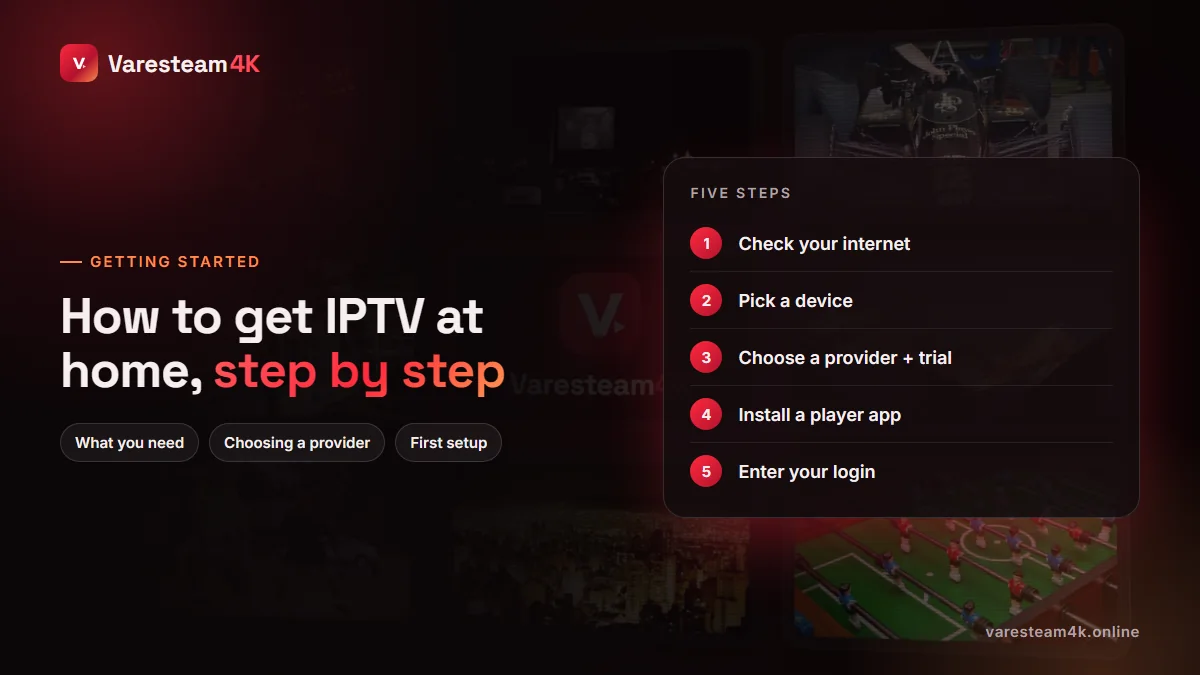
Step 1: Check your internet connection
IPTV is only as good as the line it runs on. Before you spend anything, run a speed test on the device you plan to use — not on your phone standing next to the router.
| Quality you want | Minimum steady speed | Comfortable |
|---|---|---|
| SD | 5 Mbps | 8 Mbps |
| HD (720p) | 10 Mbps | 15 Mbps |
| Full HD (1080p) | 18 Mbps | 25 Mbps |
| 4K | 30 Mbps | 35+ Mbps |
Two things matter more than the headline number: stability in the evening, when everyone in your street is online, and how the TV connects. A cable from the router or a powerline adapter beats Wi-Fi every time. Our full guide on internet speed for IPTV covers jitter, packet loss and monthly data use.
Step 2: Choose the device you will watch on
You almost certainly own a suitable device already. Here is how each one handles IPTV:
| Device | How you install a player | Difficulty | Guide |
|---|---|---|---|
| Fire TV Stick / Fire TV | Sideload with the Downloader app | Easy | Smarters on Firestick |
| Android TV / Google TV | Google Play Store | Very easy | Best players |
| Samsung / LG Smart TV | The TV’s own app store | Easy to medium | Smart TV guide |
| Apple TV, iPhone, iPad | App Store | Easy | Apple guide |
| MAG box | Built in; uses a portal URL | Easy | MAG setup |
| Roku | No proper IPTV players | Hard | Roku options |
| Windows / Mac | Desktop player or VLC | Easy | M3U in VLC |
If your TV is more than five or six years old, or its app store is thin, do not fight it. A Fire TV Stick or Google TV dongle costs less than two months of most cable bills and turns any HDMI screen into a fast IPTV player. We compare them in the best streaming device for IPTV.
Step 3: Pick a provider, and test it free first
This is the step that decides whether you are happy in three months. Ignore the giant channel counts every seller advertises and check these instead:
- Is there a real free trial? On the full line, not a demo. Twelve to twenty-four hours is normal.
- Does it hold up at 9 pm? Test live sport during peak hours — that is when weak servers fall over.
- Are your channels there? Search for the five you watch most.
- How fast does support answer? Ask a question before you pay and time the reply.
- Are prices and terms written down? One price per plan, a refund policy, no mystery fees.
Typical prices are $10–20 for a month and $50–120 for a year; anything wildly below that deserves suspicion. See how much IPTV costs for the full picture.
Varesteam4K gives every household a 24-hour free trial on the same servers as paid plans, requested in one WhatsApp message. Use it to run every check above on your own TV.
Step 4: Install a player app
The player is the “TV set” for your subscription. It contains no channels; it shows the ones your login unlocks. Good free or cheap choices:
- IPTV Smarters Pro — the most common, works almost everywhere, simple menus.
- TiviMate — the best live-TV guide on Android TV and Fire TV.
- OTT Navigator — powerful and highly customisable on Android.
- IBO Player or Smart IPTV — for Samsung and LG TVs.
- iPlayTV, GSE Smart IPTV or IPTV Smarters Lite — on Apple devices.
Not sure? Start with IPTV Smarters; you can switch later without changing your subscription. Our IPTV Smarters alternatives post compares the rest.
Step 5: Enter your login and start watching
Your provider sends the access details by email or message. Most apps offer an Xtream Codes login: a server URL, a username and a password. Choose that option when you have those three items; choose M3U / playlist when you were given one long link instead.
Open the app and choose the login type
“Login with Xtream Codes API” in Smarters; “Add playlist → Xtream Codes” in TiviMate.
Type the details exactly
Include http:// and the port number, such as :8080. Usernames and passwords are case-sensitive.
Wait for the first load
Channels, films and the TV guide download the first time. It can take a minute on a slow stick — leave it alone.
Open Live TV
Pick a category, pick a channel. Add favourites so you never scroll the full list again.
If the app says the login is wrong, it is almost always a typo, a missing port or the wrong login type. Our username and password guide lists every cause and fix.
Five mistakes beginners make
- Paying for a year before testing. Always trial first, then start with a short plan if you are unsure.
- Judging the service on a phone. Test on the TV you will actually use.
- Using Wi-Fi at the edge of its range. Move the router, add a mesh point or use a cable.
- Hunting for “free IPTV” lists. They are leaked lines that die in days and can expose your device to junk.
- Running too many devices on one line. Each plan includes a set number of simultaneous connections; going over it makes every screen stutter.
Frequently asked questions
Install an IPTV player app on your Smart TV or on a streaming stick plugged into it, then enter the login your IPTV provider sends you. Most people are watching within fifteen minutes.
No. IPTV only needs an internet connection. Many people cancel cable or satellite once their IPTV setup is running.
Typically $10–20 for one month and $50–120 for a year, plus a device if your TV cannot run the apps. Varesteam4K plans start at $15 for a month and $80 for a year.
Yes. Any TV with an HDMI port works with a Fire TV Stick, Google TV dongle, Android box or Apple TV. You can also watch on a phone, tablet or computer.
It depends on the provider. Varesteam4K lines are usually live within 5 to 15 minutes of ordering and are sent by email and WhatsApp.
Yes — use a provider’s official free trial rather than shared “free” lists. Varesteam4K offers 24 hours on a full line, with no card needed.
The bottom line
To get IPTV you need a steady connection, a device with a player app, and a provider you have tested yourself. Do the steps in order, trial before you pay, and judge the service on your own TV at peak time. Everything else is a two-minute settings job.
Related reading: What is IPTV? · IPTV Smarters on Firestick · Best streaming device for IPTV · Fix IPTV buffering